


Stop Wasting Time on Manual Processes.
timely.bio provides a seamless, secure, and efficient way to manage employee attendance, access control, and travel expenses – all in one platform.
- Tired of manual time sheets and paperwork?
- Spending too much time managing access permissions?
- Struggling to track employee travel expenses accurately?
- Is your current system outdated and inefficient?
The Smart Solution for Modern Workplaces.
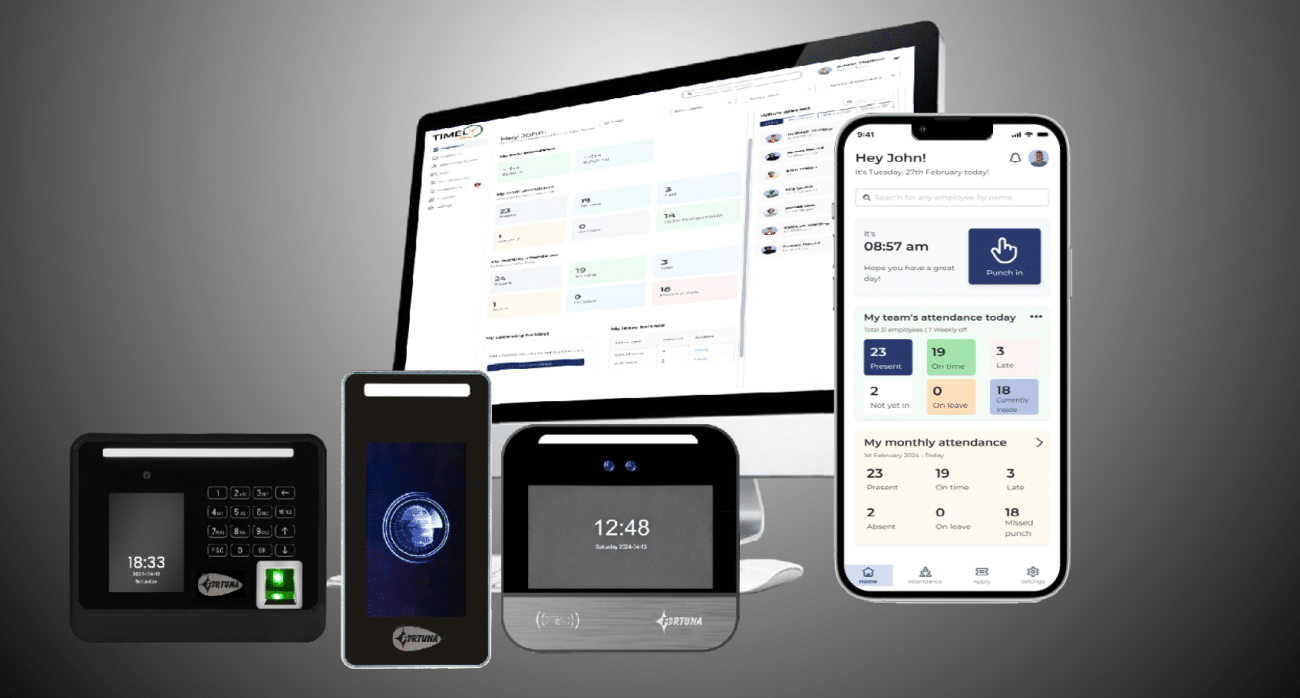
timely.bio is a cloud-based platform that automates your attendance, access control, and travel management processes. It’s built for security, accuracy, and efficiency.
- Biometric Attendance: – “Eliminate time sheet errors with instant, accurate attendance tracking using facial recognition.”
- Access Control: – “Grant and manage access to facilities and equipment with ease – track who’s in and out when.”
- Streamlined Travel Requests: – “Simplify travel booking and expense reporting with our intuitive travel management system.”
- Mobile Accessibility: – “Access your data and manage your workflows from anywhere, anytime.”
Core Features & Navigation
- User Interface: The playbook assumes a web and mobile application interface.
- Navigation: Key areas are frequently accessed through menus (e.g., “Apply,” “Manage Devices,” “Manage Employees”).
II. Attendance Management
- Adding Devices:
- Admin-only access.
- Supported on Web and Mobile.
- Mode Selection: “Attendance Mode” (punch-based) or “Attendance + Access Control” (requires both In and Out devices).
- Automatic Enrollment: When a device is added, employees at that location automatically enroll if their face template is registered.
- Biometric Device Sync: Employee profile image updates are automatically synced to all mapped biometric devices. This eliminates manual syncing.
- New Employee Registration: New employees can self-register their images via the mobile app, which automatically enrolls them on devices at their location.
III. Leave Management
- Applying for Leave:
- Web & Mobile Versions are identical.
- Select Leave Type, Dates, and Reason.
- Balance is deducted upon approval.
- Regularization (Late/Early Entries):
- Web & Mobile Versions are identical.
- Select Date, Details of prior instances, and Reason.
- Request is not reflected in reports until approved.
IV. Tour Management
- Applying for a Tour:
- Web & Mobile Versions are identical.
- Specify Dates, Tour Amount, and Reason.
- Record is reflected in reports upon approval.
V. Device Management
- Adding Devices:
- Admin access.
- Device serial number entered.
- Mapping to Location is critical.
- Friendly device names are recommended.
- Tracking Enrollment: The “Track Progress” feature (popup or activity log) allows admins to monitor the enrollment status of employees associated with a device.
VI. Reporting
- Standard Attendance Reports (Excel & PDF):
- Daily Attendance Card
- Daily Movement Report
- Monthly Attendance Card
- Monthly Attendance Muster
- Monthly Summary Report
- Shift Roster
- Report Generation:
- Admin selects report type.
- Date Selection: Daily for some reports, Monthly for others (auto-populated for monthly reports).
- Filtering: Location, Team, Department.
- Download directly to user’s system.
VII. Key Considerations & Processes
- Face Template Registration: The core of biometric attendance relies on properly registered face templates.
- Syncing: Automatic syncing of profile images ensures consistent enrollment across devices.
- Approval Workflow: Leave and regularization requests require admin approval before reflecting in reports.
 Matrix Cameras
 Matrix Product
 Biometric Machines