



essl web server databases.
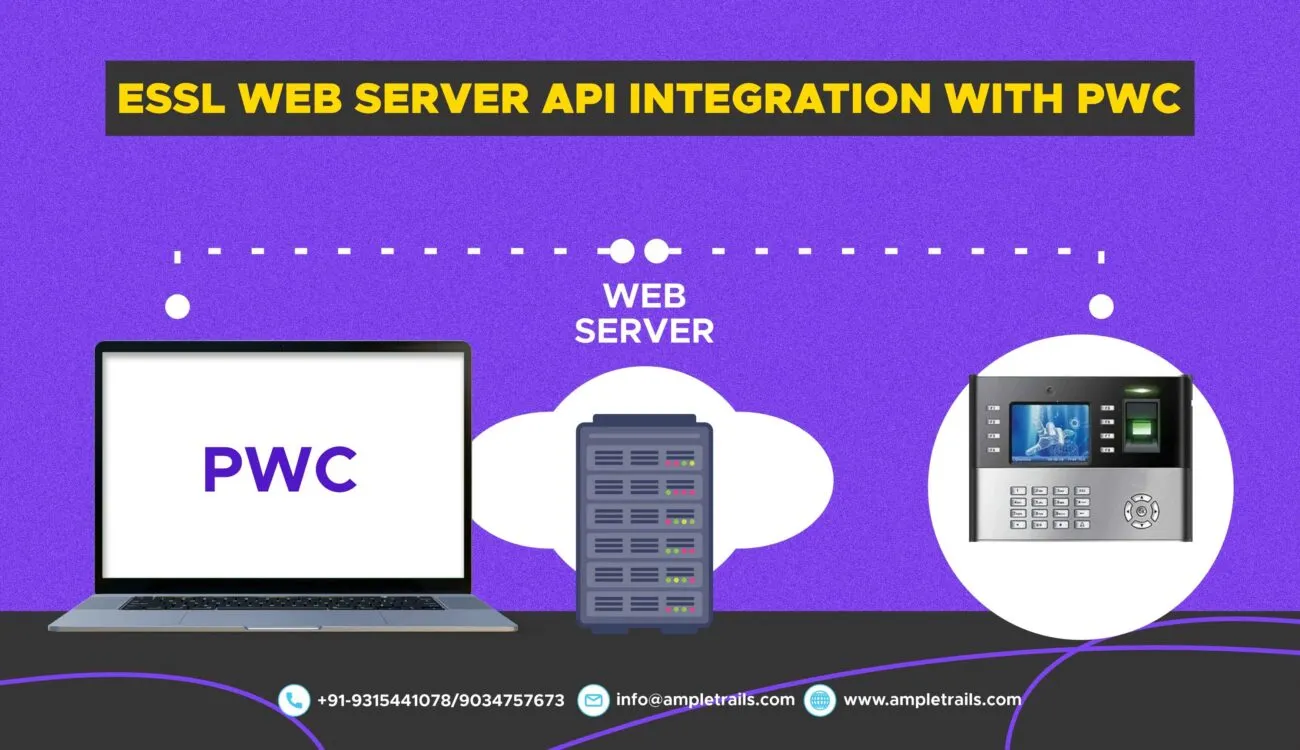
Do you have a biometric device and want to integrate it with the PWC, we have the solution of integrating your face attendance machines or access control system with PWC.
Details of PWC:-
- Please provide a web hook with below information:
| SLNo. | FieldName | DataType | Remarks |
| 1 | DeviceId | Number | Device Id |
| 2 | UserId | Number | Biometric Id |
| 3 | LogDate/In Time | DateTime | Log In Date and Time |
| 4 | Out Time | DateTime | Punch-Out Time |
| 5 | DeviceLogId | Number | Device Log |
- Accepted method : POST
- PWC Cloud URL – 40.81.225.248/30
essl Web Server à API à MCB Connectivity
Biometric Attendance API Documentation
This document provides the necessary details to integrate with the Biometric Attendance API for pushing device log data.
API Request
To send attendance data, make a POST request to the API endpoint with the specified headers and body.
- HTTP Method: POST
- Content-Type: application/json
Request Headers
The following headers are required for authentication and routing:
| SL No | Header Key | Value |
|---|---|---|
| 1 | x-applicationname |
Integration |
| 2 | x-requestfrom |
web |
| 3 | x-apiKey |
qyRx8WeHauPobnMEaC3YiLBdVGpy948X3WN+52WHztQ= |
Request Body
The request body must be a JSON array of objects, where each object represents a single attendance record.
| Field Name | Data Type | Remarks |
|---|---|---|
Deviceld |
Number | Unique ID of the biometric device. |
Userld |
Number | Biometric ID of the user. |
LogDateInTime |
DateTime | The date and time of the user’s punch-in (e.g., “2025-08-07T08:45:00Z”). |
LogDateOutTime |
DateTime | The date and time of the user’s punch-out (e.g., “2025-08-07T17:30:00Z”). |
DeviceLogId |
Number | Unique ID for the device log entry. |
Sample JSON Payload
[
  {
    "deviceId": "001",
    "userId": "12206",
    "loginDateTime": "2025-08-07T08:45:00Z",
    "logoutDateTime": "2025-08-07T17:30:00Z",
    "deviceLogId": "1"
  },
  {
    "deviceId": "002",
    "userId": "6015",
    "loginDateTime": "2025-08-07T08:45:00Z",
    "logoutDateTime": "2025-08-07T17:30:00Z",
    "deviceLogId": "2"
  }
]
API Response
The API provides clear success or error messages in JSON format.
Success Response (Code 200)
A successful request will return a status code of 200 OK.
{
  "status": "success",
  "message": "Data recorded successfully"
}
Error Responses
If an error occurs, the API will return an appropriate HTTP status code and a descriptive error message.
-
400 Bad Request: The request is malformed, often due to missing fields.
{ "status": "error", "message": "Missing required field: userId" } -
401 Unauthorized: The API key is missing or invalid.
{ "status": "error", "message": "Invalid or missing authentication token" } -
500 Internal Server Error: An unexpected error occurred on the server.
{
  "status": "error",
  "message": "An unexpected error occurred"
}
Need Help with Integration?
Let the experts at AmpleTrails handle the technical details for you. We provide seamless API integration services to connect your biometric devices with your software.
Email us at in**@*********ls.com or call us at 9315441078 or 9315441053.
Contact Us for a Quote Matrix Cameras
 Matrix Product
 Biometric Machines